
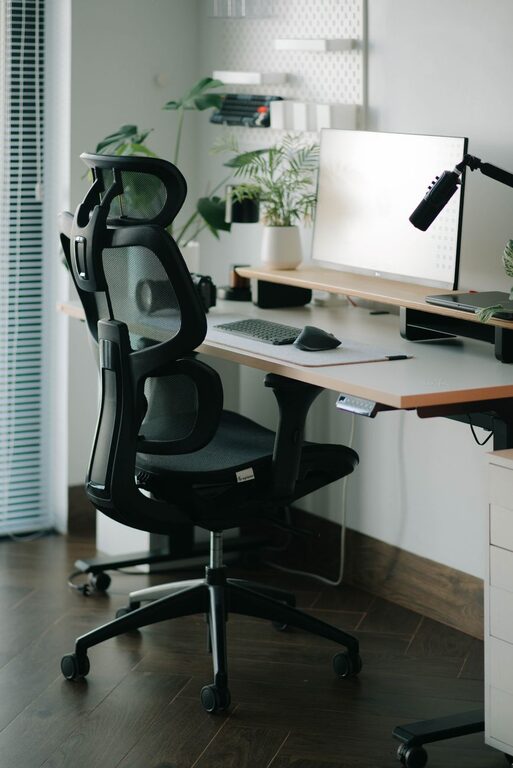
Creating a desk setup that supports both focus and comfort can transform your work experience. Whether you’re working from home, studying, or pursuing creative projects, having a well-organized and ergonomic workspace helps you stay productive and reduces strain. This guide shares practical tips to design a desk setup that enhances concentration and comfort throughout your day.
Why a Good Desk Setup Matters
A thoughtfully arranged desk isn’t just about aesthetics—it directly impacts your ability to focus, reduce fatigue, and maintain good posture. Poor setup can lead to discomfort, distractions, and even health issues like back or wrist pain. On the other hand, a comfortable, clutter-free workstation can help you feel motivated and stay engaged with your tasks.
Choose the Right Desk and Chair
Desk Height and Size
Aim for a desk height that allows your forearms to rest parallel to the floor when typing or writing. Standard desk heights range from 28 to 30 inches, but adjustable desks or standing desks offer flexibility to change positions throughout the day.
Consider the desk size as well—make sure it can comfortably fit your computer, monitor(s), keyboard, and any essential tools or accessories without feeling cramped.
Comfortable, Supportive Chair
Invest in an ergonomic chair with adjustable height, lumbar support, and comfortable padding. Your feet should rest flat on the floor with knees at a 90-degree angle. A chair that supports your lower back helps reduce strain during long periods of sitting.
Position Your Monitor Correctly
Your computer monitor should be about an arm’s length away, with the top of the screen at or slightly below eye level. This setup prevents neck strain and minimizes eye fatigue. If you use multiple screens, arrange them so you only need to turn your head slightly to view each one.
Using a monitor stand or adjustable arm can help you find the perfect height and angle.
Organize for Minimal Distractions
Declutter Regularly
A messy desk can distract your focus. Keep only the essentials within reach and store other items away in drawers, shelves, or organizers. Tidying your workspace daily helps maintain a clean, welcoming environment.
Use Cable Management Tools
Tangled cables add visual clutter and can cause frustration. Use cable clips, sleeves, or under-desk trays to keep cords neat and out of sight.
Limit Visual Noise
Consider a simple backdrop without busy patterns, which can reduce visual distractions. If possible, position your desk to face a wall or window that offers natural light without glare or too much activity outside.
Optimize Lighting for Comfort
Good lighting reduces eye strain and boosts alertness. Ideally, your desk should be near a source of natural light. If natural light isn’t available or reliable, use a desk lamp with adjustable brightness and color temperature to match the time of day.
Avoid harsh overhead lighting or screens that cause glare. Position light sources so they don’t cast shadows on your work area or create reflections on monitors.
Incorporate Ergonomic Accessories
Keyboard and Mouse
Choose a keyboard and mouse that fit your hand size and comfort preferences. Consider ergonomic designs that promote natural wrist positions. Position these devices close enough that your elbows stay close to your body.
Wrist and Foot Supports
Using a wrist rest can help reduce pressure when typing or using a mouse. Additionally, a footrest can promote better posture if your feet don’t comfortably reach the floor.
Add Personal Touches and Plants
While keeping your desk tidy, personal touches like a small photo frame, a favorite mug, or meaningful decor can make your workspace inviting and boost your mood. Adding a small plant can improve air quality and create a calming atmosphere, which enhances focus and reduces stress.
Take Breaks and Change Positions
Comfort isn’t only about your desk setup—it’s about how you use it. Remember to take short breaks every hour to stretch or walk around. Consider alternating between sitting and standing if you have a height-adjustable desk. Movement helps refresh your mind and reduces muscle tension.
Summary Checklist for an Effective Desk Setup
– Choose a desk and chair with ergonomic features
– Position monitor at eye level, about an arm’s length away
– Keep desk clutter-free and manage cables neatly
– Ensure good lighting with minimal glare
– Use ergonomic keyboard, mouse, and wrist/foot supports
– Personalize your space thoughtfully
– Take regular breaks and vary your posture
By following these desk setup tips, you can create an environment that supports your focus, comfort, and overall well-being. A well-designed workspace lays the foundation for productive and enjoyable workdays.